



Analytics for your Astro app with Umami
Table of Content
- Introduction
- Why Umami
- The plan
- Add Umami to Astro
- Build a dashboard
- Goals
- Funnel
- What to check after the deploy
- Resources
Introduction
Without analytics, there is no way to know which pages are read or if a button is clicked.
Umami.- An analytics tool. It counts page views and custom events, without cookies. It has a hosted version, Umami Cloud, and an open source version.
This post explains the pros and cons of Umami and what the free plan includes. Then it shows how to add Umami to an Astro app, with click events, a board, goals and a funnel.
Why Umami
Pros:
- Events, goals, funnels and boards are included in the free plan.
- It is cookie-free, according to the Umami docs.
- The script is small. It is one
<script defer>tag. - The data can be exported, and the open source version is there if the app moves later.
Cons:
- The Hobby plan allows only 1 website.
- The Hobby plan has no API access.
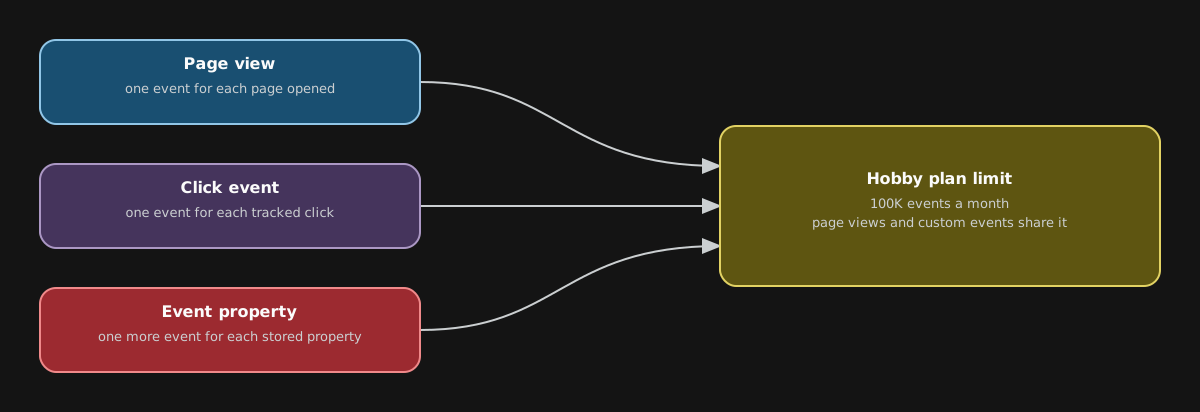
- Page views and custom events both count toward the monthly limit.
- The Hobby plan keeps 6 months of data.
- Self-hosting the open source version needs PostgreSQL.
The plan
This post uses the Hobby plan, which is free. It includes:
- 100K events a month.
- 1 website.
- 6 months of data.
- Custom events, goals, funnels and boards.
Page views and custom events share the same limit. A stored event property counts too: each property is one more event.
Add Umami to Astro
Create a website in the Umami dashboard and copy the website ID. The ID is public. Every site that uses Umami shows it in the page source.

The script
Keep the values in a constants file.
// src/scripts/constants.ts
export class Analytics {
    static readonly UMAMI_SCRIPT = "https://cloud.umami.is/script.js";
    static readonly UMAMI_WEBSITE_ID = "<your-website-id>";
    // Only these hostnames report, so localhost and preview URLs are ignored
    static readonly UMAMI_DOMAINS = "www.example.com,example.com";
}
Then add the script to the head. It loads only in production builds, so astro dev never sends data.
---
// src/components/base/baseHead.astro
import { Analytics } from 'src/scripts/constants';
---

{import.meta.env.PROD && (
    <script
        defer
        src={Analytics.UMAMI_SCRIPT}
        data-website-id={Analytics.UMAMI_WEBSITE_ID}
        data-domains={Analytics.UMAMI_DOMAINS}></script>
)}deferloads the script without blocking the page.data-domainsis a list of hostnames. The tracker only runs whenwindow.location.hostnamematches one of them.
Click events
Umami records a click when an element has the data-umami-event attribute. No JavaScript is needed.
<a href={link} data-umami-event="substack-click-band">Subscribe on Substack</a>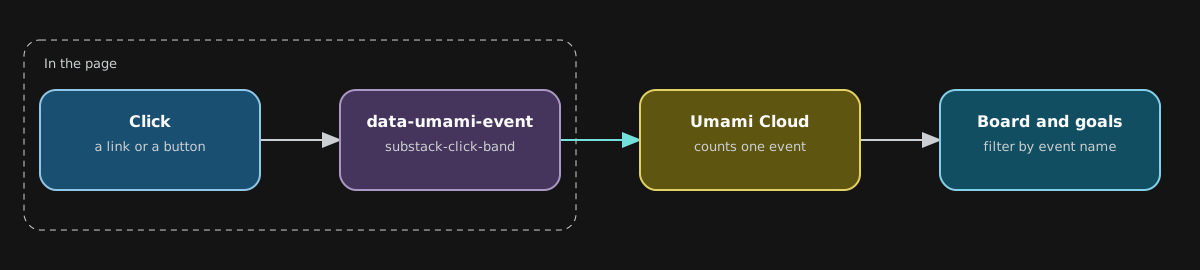
Put the place of the element in the event name. These are example names.
substack-click-bandandsubstack-click-sidebarrss-click-bandandrss-click-sidebarnewsletter-submit-bandandnewsletter-submit-sidebarsocial-linkedin,social-githubandsocial-figma
Band.- The newsletter section at the bottom of a post.
Sidebar.- The newsletter box on the list page.
Use the name, not an event property like data-umami-event-location. Umami counts each stored property as one more event. With properties, every click would use two events.
The hash problem
Why.- A link that jumps to a section of the same page, like /posts/my-post#subscribe, can be counted as a new page view. It shows as a separate row in the dashboard.
How.- Add one attribute to the script.
<script defer src="..." data-website-id="..." data-exclude-hash="true"></script>It tells the tracker to ignore the #... part of the URL.
Build a dashboard
Umami calls a dashboard a Board. Open Boards, click Add board, and then click Design. Each row can have up to 4 columns. Choose a component for each column.
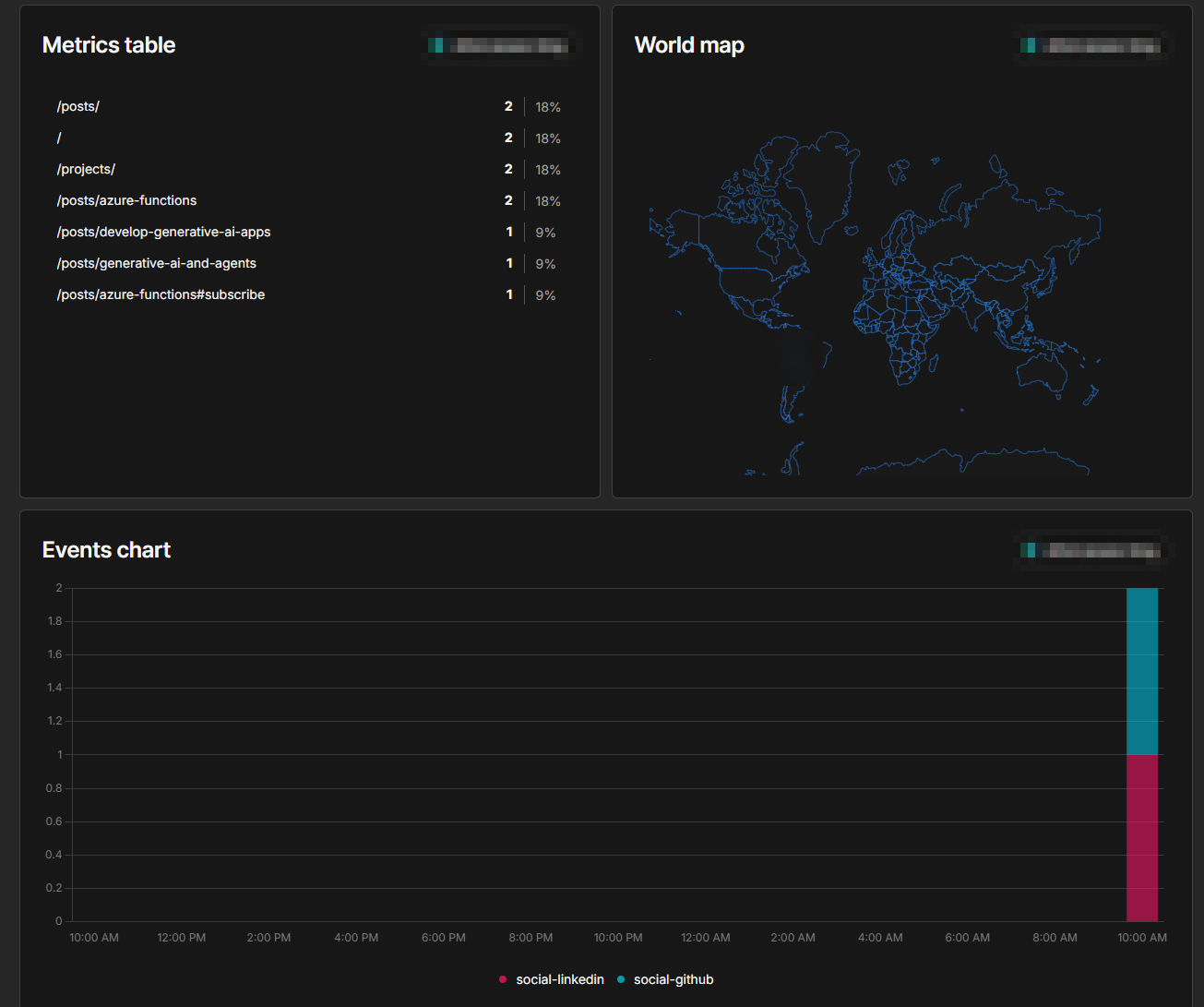
A useful board has these components:
- Metrics table.- The most visited pages.
- World map.- Where the visitors are.
- Events chart.- The click events over time, one series for each event name.
Goals
A goal counts how many visitors trigger one event or view one page. Goals are inside the website, not in the main sidebar. Click Add goal, fill in the form and save.
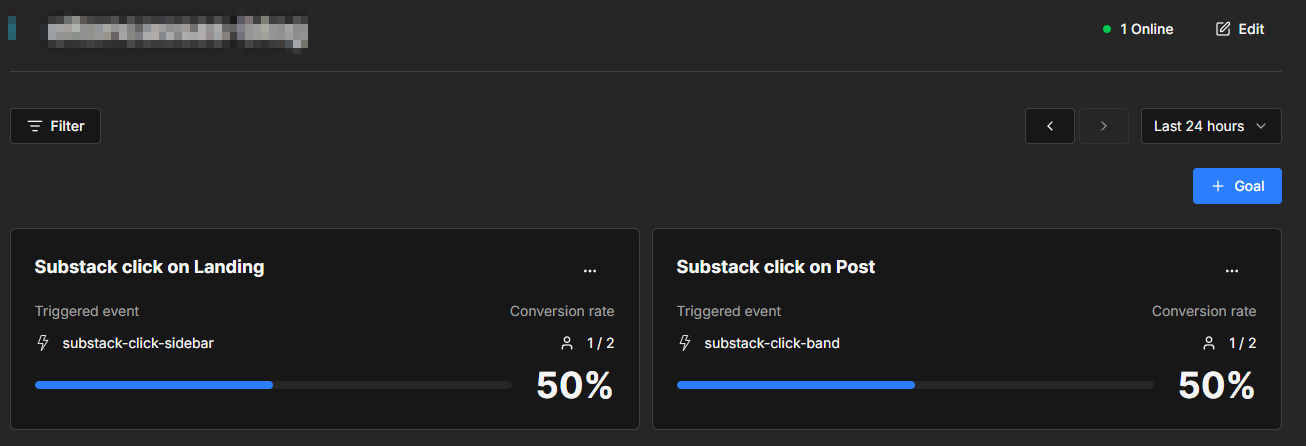
The example has two goals, one for each place of the button.
- A goal for the event
substack-click-sidebar. - A goal for the event
substack-click-band.
Conversion rate.- The visitors who did the action, divided by all the visitors in the period.
Funnel
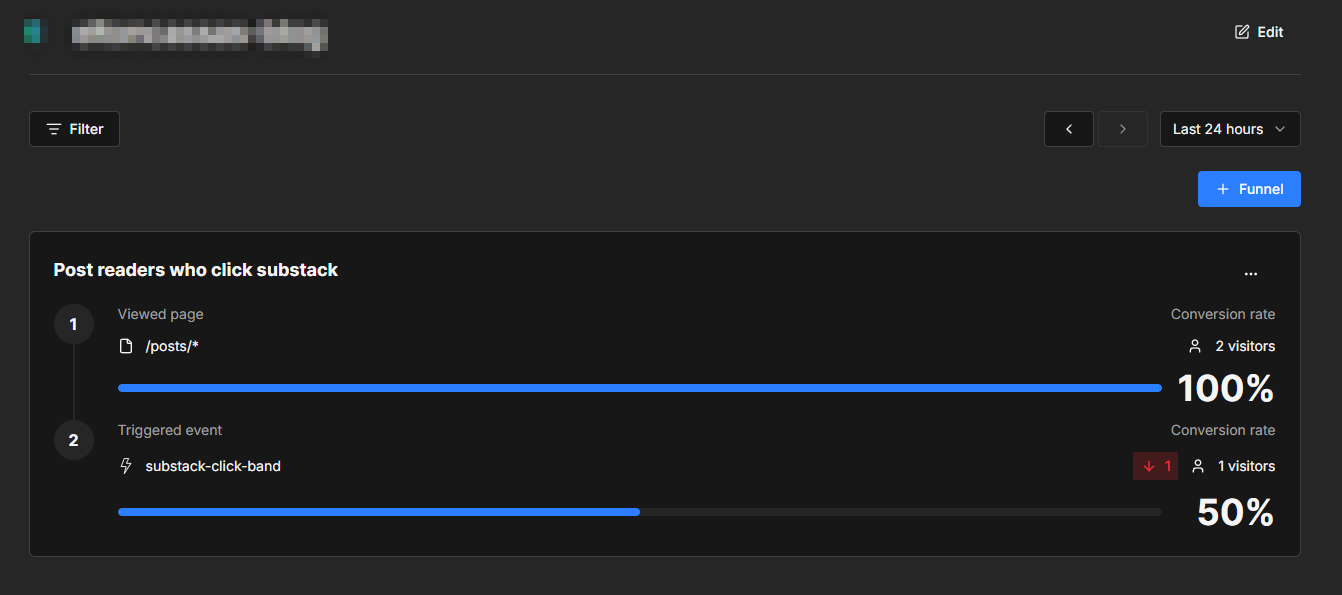
A funnel shows how many visitors finish a list of steps. It needs at least two steps.
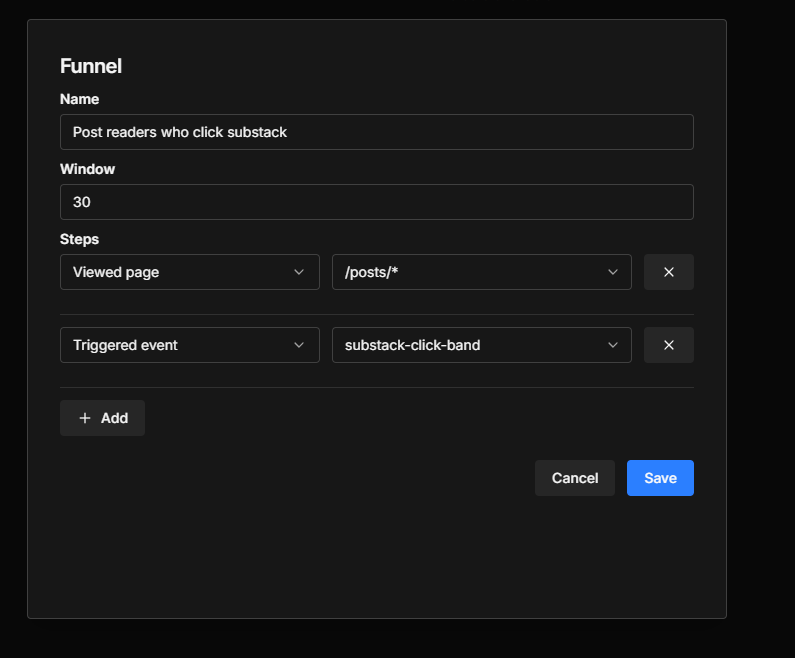
- Window.- The maximum minutes between two steps, for example 30.
- Step 1.- Viewed page
/posts/*. A wildcard works only at the end of the value. - Step 2.- Triggered event
substack-click-band.
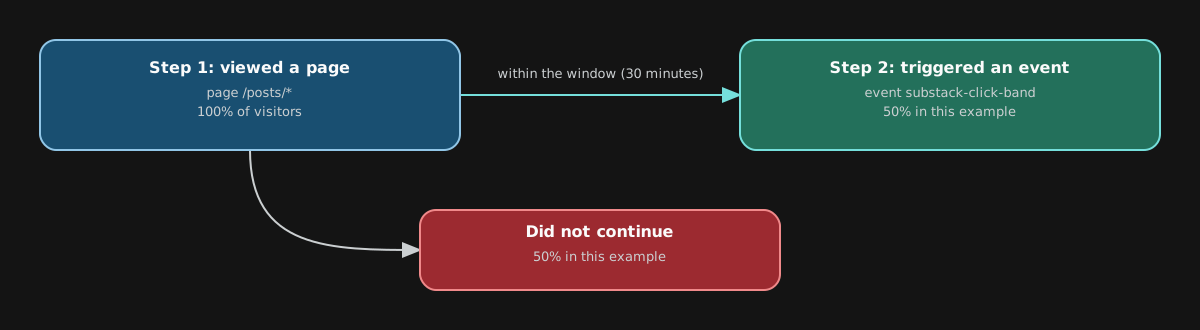
The result answers one question: how many readers click the Substack button after they read a post.
What to check after the deploy
- The first page view appears in the dashboard.
- Click between two posts without a reload. Both page views must count.
- Click each tracked button once. Check the event names.
- Watch the usage. The Hobby plan allows 100K events a month.
To not count your own visits, run this in the browser console:
localStorage.setItem('umami.disabled', 1);Resources
Umami – Open-Source Web and Product AnalyticsUmami is an open-source web and product analytics platform. Understand acquisition, behavior, conversion, and retention with privacy-first analytics — no cookies required, self-hosted or in the cloud.umami.is Track events – umamiTrack custom events in Umami with data attributes on HTML elements or with JavaScript, then view the events and their properties.docs.umami.is
 Tracker configuration – umamiConfigure the Umami tracker script with data attributes for the host URL, auto-tracking, domains, tags, performance, error tracking, privacy, and a before-send hook.docs.umami.is
Goals – umamiCreate a goal in Umami to track the conversion rate of visitors who view a specific page or trigger a specific event within a date range.docs.umami.is
Funnel – umamiCreate a funnel report in Umami to see how many visitors complete a sequence of page visits or events, and where they drop off between steps.docs.umami.is
Using boards – umamiLearn the Umami board types and how to view boards, customizable dashboards that combine widgets from websites, pixels, and links.docs.umami.is